If you’d been thinking all along that Google Maps only served brick-and-mortar stores with a physical presence, it’s time for a quick fact check.
Google Maps isn’t only relevant for physical stores. Online businesses that are essentially service-oriented also have a chance to appear on Google Maps. How?
All you need is innovative local SEO strategies to reach your target customers in your area (those who’re specifically looking for the services you provide).
In other words, you can make Google Maps work for you without a physical storefront. And this blog helps you learn just that. Let’s dive in.
What Does it Mean to “Rank on Google Maps”?
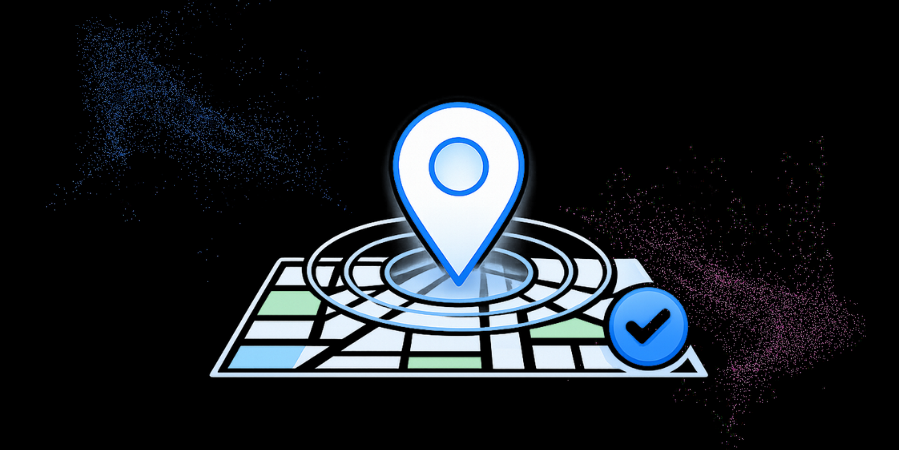
Ranking on Google Maps means your business is highly visible in local search results. This is possible even if you don’t have a physical storefront. When potential customers in the local area search for the services you provide, your business shows up on Google Maps search results.
Here’s what it means for your business to rank on Google Maps:
- Improving the visibility of your business to prospective customers looking for your niche services in the local area
- Building trust and credibility in your target market through a consistent online presence
- Appearing in the local results, at the top of Google Maps search results
- Improving click-through rates to your business website or contact details
Quick Hack: Use relevant keywords in your business title and description to align with customer search intent. This indicates Google’s relevance, boosting your visibility in local search results.
Also Read: Google Search Console Keyword Ranking vs Ranking Tools
How is it Possible to Rank on Google Maps Without a Physical Address?
So, by now we’ve established that it’s indeed possible for your business to appear in the top ranks of Google Maps search results without necessarily having a physical storefront. But how?
The key lies in optimizing your online presence using a clear, coherent strategy.
- Make use of a Service Area Business (SAB) listing in place of a physical storefront address.
- Make sure to optimize your Google Business Profile with relevant categories, services, and keywords.
- Ensure your Name, Address, and Phone (NAP) are consistent across all online platforms.
- You will also need to verify your business with Google to build the trust and credibility you need with your target audience.
- Don’t forget to gather and share positive client reviews to build your online reputation.
Quick Hack: You can create your business profile as a Service Area Business (SAB) and clearly define your service areas. This allows Google to display your business to local customers nearby and eliminates the need for a physical address.
Key to Rank on Google Maps Without a Physical Address: Optimize Your Google Business Profile
This is one of the most crucial steps to increasing the online visibility of your service business. Make sure to select the correct business category on Google Business and add all relevant, accurate details to define your working hours, services, and contact information. Use high-resolution images and videos to give prospective customers a clear look and feel of your offerings.
| Elements to Cover | Why it Matters | Tips to Optimize |
| Name of the business | Facilitates easy recognition and relevant search results | Always use an official business name and avoid stuffing keywords in it |
| Services provided | Let your customers know exactly what you offer | Make sure to list all your services correctly with brief descriptions |
| Images and videos | Help engage users and enhance your credibility | Make sure to upload high-resolution images and videos regularly |
| Business category | Helps determine precisely where your business would appear in customer search | Choose a category that is specifically relevant to your services |
| Contact info | Builds trust and offers convenience to customers | Update your contact details and office hours regularly to avoid losing your customers |
Advanced Strategies to Stand Out on Google Maps
Optimizing your Google Business profile is just the beginning; there are tons of other strategies that you can employ to stand out, get noticed in a crowd of local businesses, attract customers, and stay ahead of the competition:
1. Google Posts:
They greatly help you share promotional activities, regular business updates, and events.
2. Google Maps Ads:
They are brilliant at enhancing your visibility in local competitive regions.
3. Testimonials:
Leveraging customer reviews and testimonials, including photos or videos, helps engage more customers and build credibility.
Quick Hack: You can schedule Google Posts every week to share some helpful tips, share info on services, or highlight client success stories. Also, actively manage Q&A interactions and respond promptly to questions to build customer trust.
Also Read: Google vs AI Writers: Content that Still Ranks
Common Mistakes to Avoid for Ranking on Google Maps
Small pitfalls can limit your business’s visibility on Google Maps. Make sure to avoid the following mistakes to build credibility and protect your rankings from dipping:
- Inconsistencies in business details or failing to update info as required
- Not adding profile updates regularly or customer reviews
- Using a virtual, fake, or keyword-stuffed address in place of a valid service-area setup
- Inconsistent NAP details across various online listings
- Selecting an incorrect business category on Google Business
Quick Hack: Performing a monthly audit of your Google Business Profile helps keep it in check. Review your service areas, primary business category, reviews, and hours of operation. Maintaining accuracy and staying active on your profile helps prevent ranking dips and enhances local visibility.
Final Word
Ranking on Google Maps without a physical storefront is possible with the right strategy. Set up your Google Business profile correctly, highlight your service regions and offerings, and maintain it regularly by adding recent reviews.
By following these simple steps, it is possible to not just compete with (but even outrank) other businesses with physical stores. The good news is that you don’t need to do all of this alone. Professional experts like Straction Consulting can be your partner and guide on this journey – helping you stay active, optimizing, and enabling Google Maps to bring customers near you straight to your doorstep.
We at Straction Consulting help online service-centric businesses rank on Google Maps even when you don’t have a physical storefront. We do this by building a robust local SEO framework for your online business. Get in touch with us at +91 9810430573 to learn how we can set up and optimize your Google Business profile to build trust, improve local visibility, and drive conversions.